All posts
Access Token Flow
How the ChainSkins extension checks your Steam trades without ever storing your access token: daily key pairs, end-to-end encryption and zero persistence.
ChainSkins Team 1 min read
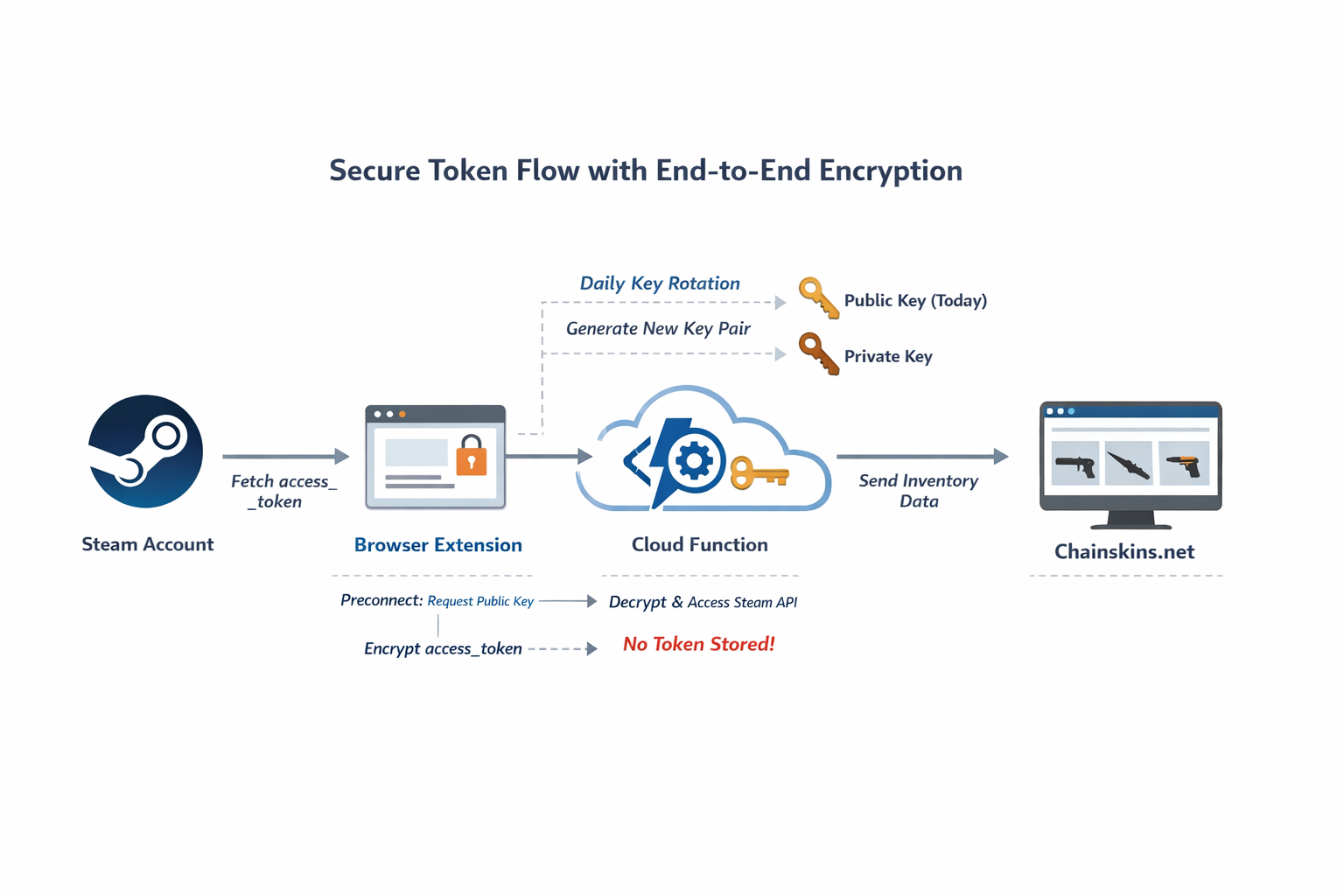
This document explains the secure flow of the user access_token through the Chainskins extension and backend.
Flow Overview
-
User Authentication via Steam
- The user logs in via the browser extension.
- The extension retrieves the
access_tokendirectly from the user’s Steam account.
-
Daily Key Generation & Preconnect
- Each day, the Cloud Function generates a new public/private key pair.
- The extension performs a preconnect request to obtain the current day’s public key.
-
Encrypting Token & Sending to Cloud Function
- The extension encrypts the
access_tokenusing the public key. - The encrypted token is sent to the Cloud Function.
- Important: The token is never stored in the extension or server.
- The extension encrypts the
-
Accessing Trade Offer Status via API
- The Cloud Function decrypts the token using the private key.
- It calls the Steam API to fetch steam api endpoints.
- The token is discarded immediately after use.
-
Forwarding Data to Chainskins.net
- The Cloud Function sends only the trade offer response data to Chainskins.net.
- No sensitive tokens are ever stored or forwarded.
Trade CS2 skins without trusting anyone
Escrow on-chain, multisig wallets and peer-to-peer trades. Early adopters trade with zero fees.
Start trading